My Days & Diary (Rus)2.5
Publisher Description
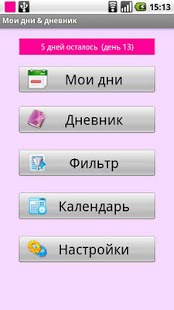
My Days & Diary (Rus)
- Russian edition, that is not depends on system language settings
(for English version with Russian translation see: My Days & Diary)
- Menstrual cycle
- Fertility forecast
- Menstrual cycle calendar with notes
- Month calendar with notes and cycles.
- Notes attached to the forecast and calendars
- Diary
- Diary/notes full text case insensitive search
- Desktop widget
- Password protection (optional)
- Fertility notifications (optional)
- Backup to SD card
- Restore from SD card
About My Days & Diary (Rus)
The company that develops My Days & Diary (Rus) is G4K. The latest version released by its developer is 2.5. This app was rated by 1 users of our site and has an average rating of 3.0.
To install My Days & Diary (Rus) on your Android device, just click the green Continue To App button above to start the installation process. The app is listed on our website since 2017-07-28 and was downloaded 9 times. We have already checked if the download link is safe, however for your own protection we recommend that you scan the downloaded app with your antivirus. Your antivirus may detect the My Days & Diary (Rus) as malware as malware if the download link to com.kap.mydaysanddiaryrus is broken.
How to install My Days & Diary (Rus) on your Android device:
- Click on the Continue To App button on our website. This will redirect you to Google Play.
- Once the My Days & Diary (Rus) is shown in the Google Play listing of your Android device, you can start its download and installation. Tap on the Install button located below the search bar and to the right of the app icon.
- A pop-up window with the permissions required by My Days & Diary (Rus) will be shown. Click on Accept to continue the process.
- My Days & Diary (Rus) will be downloaded onto your device, displaying a progress. Once the download completes, the installation will start and you'll get a notification after the installation is finished.
Program Details
System requirements
Download information
Pricing
Version History
version 2.5
posted on 2017-07-28
menu
version 2.4
posted on 2016-04-29
2.4,- added Menu button,2.3,- changed text in menu,2.2,- added menu item,2.1,- small interface improvements,- improved support of devices with low resolution screen,2.0,- fixed bug with selection color on Android 4.0,1.9,- fixed crash after import backup file and open filter screen,1.8,- fixed crash,1.7,- compensated rounding error on some devices,1.6,- fixed wrong dates in some circumstances (impossibility to set right date),1.5,- Added filter for notes by icon and by dates
version 2.1
posted on 2013-06-18
Several fixes and updates
